

You can activate your Germany eSIM before landing by installing it at home over Wi-Fi and then simply turning on cellular data once your flight touches down. Most travelers install (but don’t fully “turn on”) the eSIM 24-48 hours before departure, then flip on data roaming and the eSIM line the moment they land in Berlin, Munich, or Frankfurt. This way you skip the airport Wi-Fi hunt entirely and have a signal within minutes of walking off the plane. It’s a small bit of planning that saves you a genuinely stressful first hour in a new country.
If you’re the type who likes to plan ahead, that’s a smart move, and this guide walks through exactly how eSIM setup before landing works from start to finish. We’ll cover what can go wrong, why it happens, and how to fix it quickly if it does. No jargon, just the straight answers you’d want a friend to give you before a trip.
Here’s the logic behind it, because understanding the “why” makes the process much easier to remember later. An eSIM setup actually involves two separate steps, installation and activation, and mixing them up is where most confusion comes from:
So the smartest workflow for Germany eSIM activation is straightforward: install early, activate late. That one habit is the whole trick behind eSIM setup before landing, and once you’ve done it once, it becomes second nature for every future trip.
Most phones released after 2019 support eSIM, but it’s genuinely worth checking before you buy a plan, since not every model or carrier locked device is eSIM ready. Compatibility depends on both the phone’s hardware and how your carrier configured it, so even a recent phone can sometimes be an exception.
iPhone XS, XR, and every model released since then, including the full iPhone 11 through iPhone 16 lineup, support eSIM. Older iPhones like the iPhone X or earlier do not have this capability built in, so if you’re using one of those, a physical SIM will be your only option.
Most Samsung Galaxy S20 and newer models support eSIM, along with the Galaxy Z Fold and Z Flip series. Google Pixel phones from the Pixel 3 onward also support eSIM, though some carrier-locked or regional variants, particularly in the US, may have eSIM disabled at the carrier level even though the hardware supports it.
A quick way to check is to go to Settings > General > About on iPhone, or Settings > Network & Internet > SIMs on Android, and look for an “Add eSIM” option or an EID number. If you see either of those, your phone is ready for a Germany eSIM and you can move straight to buying and installing your plan.
Activate the line after you land, but install the profile before you leave home. This is the single most useful habit for stress free eSIM setup before landing, and it’s worth repeating because it solves almost every timing related problem travelers run into.
Why does the order matter so much? There are two practical reasons behind this advice, and both come down to protecting your data plan and your battery:
So the safe pattern is to install at home, keep the eSIM’s data roaming toggle off, and switch it on only once you land in Germany or another Schengen country. Following this order removes almost all of the guesswork from the process.
If you missed installing your eSIM before leaving home, don’t worry, because airport Wi-Fi almost always works fine for this task. Most international airports, including Frankfurt, Munich, and Berlin Brandenburg, offer free Wi-Fi that’s more than enough for a QR code download, which typically takes under a minute to complete.
If Wi-Fi happens to be spotty or unavailable, you still have a few backup options worth trying:
Once the QR code is scanned and the profile is installed, you don’t need Wi-Fi again for the rest of your trip. From that point on, you can activate the data line directly over the German cellular network whenever you’re ready.
eSIM QR code activation follows the same basic process across brands and phone models, with only tiny menu differences depending on your specific device. Once you’ve done it once, repeating it for future trips takes barely any time at all.
That’s it, installation is fully done at this point. When you land, go back into that same menu, toggle on the Germany eSIM’s data line, and make sure it’s set as your primary data line so your phone knows which one to use.
No, not by default. Most eSIMs do not self activate the moment your plane lands, so you’ll generally need to manually toggle on data roaming and select the eSIM as your active data line. Some plans do auto-activate on first network detection, but the safest approach is always to check your settings yourself rather than assume it happened automatically.
Here’s the exact landing-day checklist worth following every time:
If you follow the “install early, activate late” method described earlier, this whole process takes under two minutes right at the gate. Most people are texting home with a working connection before they’ve even reached passport control.
For installation, anywhere from a few hours to a full week before departure is completely fine, since installing doesn’t start your plan’s countdown. For actual activation though, the rule is simple: do it on the day you land, not before, no matter how excited you are to test it out early.
A general rule of thumb that covers most travel situations looks like this:
This timing avoids the most common complaint people search for, which is some version of “my eSIM ran out of days before my trip even started.” That situation almost always traces back to activating, not just installing, the plan too early.
If you activate before your trip actually begins, your data validity period usually starts immediately, which means you could burn through several days of your plan before you even board the plane. Some plans are more forgiving and only start the clock on first real data use in country, but this varies quite a bit by provider, so it’s worth checking your specific plan’s terms rather than assuming either way.
If this does happen to you, contact your eSIM provider’s support team right away rather than waiting it out. Reputable providers, Luxxe eSims included, can often look into what happened on their end and advise you on the best next steps for your specific situation.
For most travelers, an eSIM beats a physical SIM card in Germany on convenience alone, though a physical SIM still holds onto a couple of niche advantages worth knowing about. The comparison usually comes down to how much setup effort you’re willing to put in once you land.
| eSIM | Physical SIM | |
| Setup | QR code, done in minutes, no shop visit | Requires finding a kiosk or store in Germany |
| Dual SIM | Keep your home number active for calls/texts | Usually replaces your home SIM entirely |
| Airport pickup | None needed | Sometimes needs ID and a queue |
| Swapping countries | Easy, install multiple eSIMs for Germany, France, Spain, and more | Need a new physical card each time |
| Loss risk | Can’t be lost or damaged | Tiny card, easy to misplace |
The main case for a physical SIM is if your phone doesn’t support eSIM at all, or if you specifically want a large local data allowance from a German carrier’s own in-country retail plan. Outside of those two scenarios, most travelers find the eSIM route simpler from start to finish.
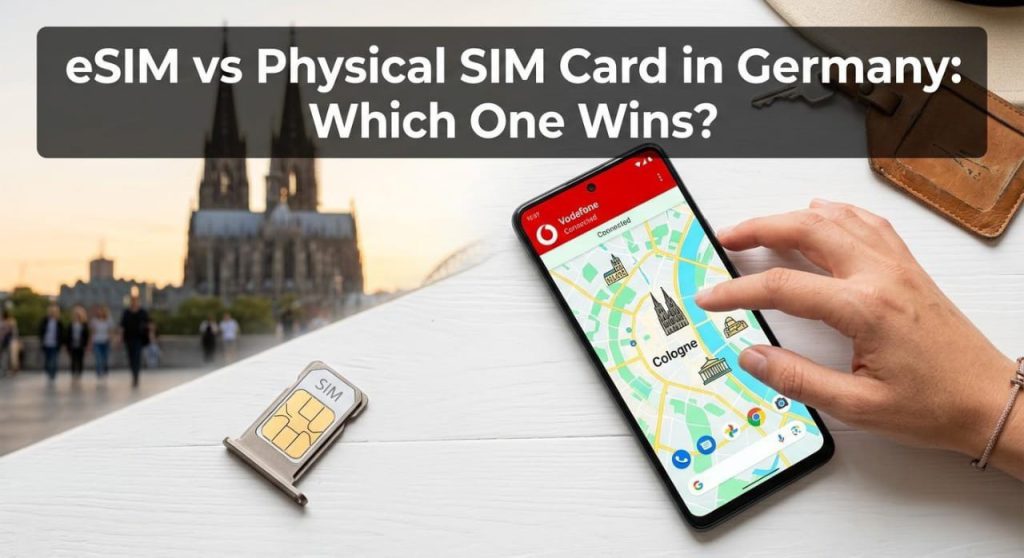
Germany eSIMs typically run on one of the country’s three major network infrastructures, which are Deutsche Telekom, Vodafone, or O2/Telefónica. Coverage across Berlin, Munich, Frankfurt, and most smaller cities and towns is strong on all three networks, with Deutsche Telekom generally rated as having the widest rural reach across the country.
You don’t need to manually pick a network yourself, since your eSIM automatically connects to the strongest available partner tower and supports 5G/4G LTE speeds in most urban and suburban areas. Since Germany is part of the Schengen Area, a Europe-wide eSIM plan will also carry over into neighboring countries like France, Austria, or the Netherlands without needing a completely new profile installed.
eSIM not activating is usually caused by one of a small handful of easy-to-fix issues, and working through this list solves the problem for most travelers within a few minutes:
If none of these fixes solve it, reach out to your provider’s support team rather than troubleshooting endlessly on your own. For Luxxe eSims customers, that’s a quick message to the support team, who can check your plan status directly and pinpoint what’s going on.
Good news if you’re flying out tomorrow: you still have plenty of time to get everything set up correctly, and the process really only takes a few minutes from start to finish. Here’s the fastest path to follow when time is tight:
Following these four steps in order means you’ll have working data before you even reach passport control, which makes navigating a new airport considerably less stressful.
If your trip extends past Germany, you don’t need a whole new setup process for every border you cross. Plenty of travelers combine a Germany trip with stops elsewhere in Europe, and having the right plan in place ahead of time makes those transitions completely seamless.
If you’re heading to more than one country, an eSIM for Europe plan is worth a look, since it covers Germany alongside multiple Schengen countries on a single profile rather than making you juggle separate installs for each stop. If Paris or Lyon is next on your route, an eSIM for France plan slots in just as easily, using the same install early activate late approach covered above. And if your trip continues on to Barcelona or Madrid, an eSIM for Spain plan rounds out a smooth Germany to Spain multicity itinerary without any extra hassle at the border.
Can I set up my eSIM at home before flying to Germany?
Yes, installing the eSIM profile at home over Wi-Fi is not only possible, it’s recommended. Just keep the data line switched off until you land, so your plan’s validity period doesn’t start early.
What happens if I activate my eSIM too early?
Your data validity countdown usually begins as soon as the line connects to a network, so activating before departure can eat into days you meant to use in Germany. If this happens, contact your provider’s support team to check your plan status.
What’s the best way to have the internet the moment I land in Germany?
Install your eSIM before you leave, then turn off Airplane Mode and switch on data roaming for the eSIM the moment you land. This gets you connected within a minute or two, without needing airport Wi-Fi at all.
Do I need to buy a new eSIM every time I switch countries in Europe?
Not if you choose a regional plan, since a Europe wide eSIM covers Germany alongside neighboring Schengen countries like France and Spain, so one profile can carry you across borders.
Will my eSIM work if my phone is dual SIM with a physical card already inserted?
Yes, eSIM and physical SIM cards work side by side on dual SIM phones. You can keep your home number active on the physical SIM for calls and texts while using the Germany eSIM for data.
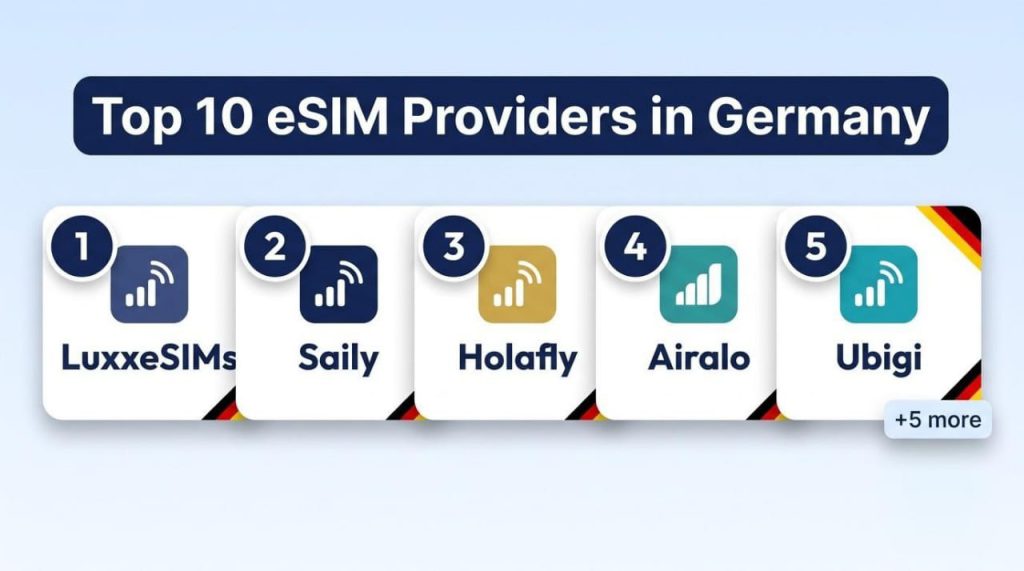
The top 10 eSIM providers in Germany for tourists and travelers in…

The best eSIM for France depends on how long you’re staying and…
If your eSIM doesn’t work when you land, don’t panic. It’s usually…
Look, let’s be real for a second. You’re sitting in your flat in Berlin or maybe Munich, you’ve got your...

While you travel to New York, then an eSIM is usually the simplest way to stay connected. It just makes...
If you’re flying into JFK and you haven’t sorted your mobile data yet, stop what you’re doing. Seriously. Roaming charges...
Your cookie choices
We use cookies to keep the shop and checkout working. With your permission, we also use analytics cookies to see how the site is used and marketing cookies to measure our Google and Meta adverts. Nothing optional is switched on unless you choose Accept. You can change your mind at any time from the Cookie settings link at the bottom of every page. Read our Cookie Policy.