
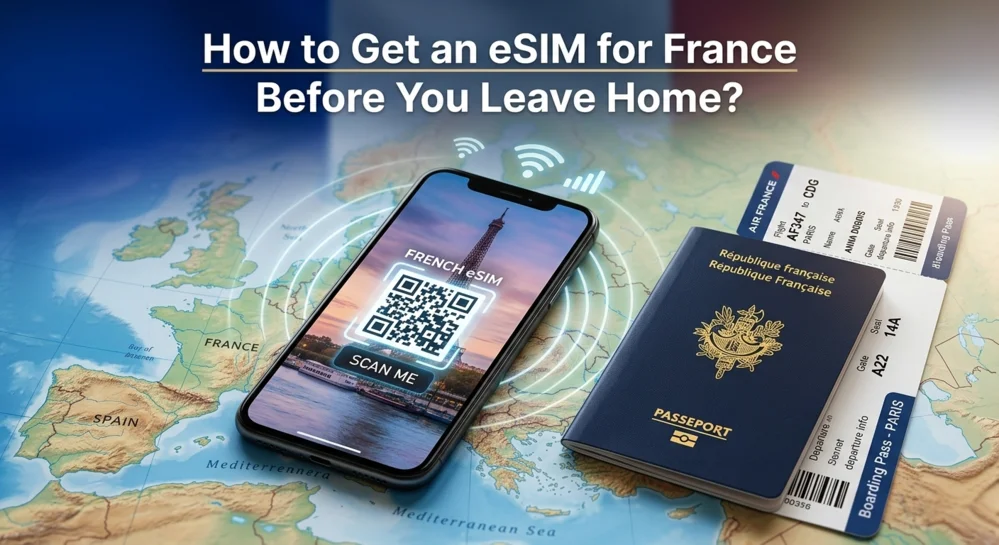
You buy a digital data plan online, scan a QR code at home, and turn it on when you land. No airport kiosks, no plastic cards, no roaming fees. This guide walks you through every step so you land in Paris with instant connectivity.
Because airport SIM card kiosks have long lines, home carrier roaming costs $10+ per day, and free WiFi is never where you need it. You need data the second you step off the plane,for Uber, Google Maps, and translating menus.
We have all been there. The dreaded “roaming” text from your home carrier. “$10 per day to use your own plan?” No thank you.
I remember sitting in a café in Lyon, frantically trying to download offline maps because I was too stubborn to pay international fees. That was the last time I traveled without preparation.
A France eSIM is essentially a digital SIM card embedded in your phone. You don’t physically insert anything. You buy eSIM for France online, scan a QR code, and poof,you have a local connection.
Here is why this matters to you, the traveler:
Go to Settings > Cellular and look for “Add eSIM.” If you see it, your phone is compatible. If you don’t, your phone may be locked to a carrier or too old.
Before you buy eSIM for France, you need to ensure your device is unlocked and eSIM compatible. 99% of modern phones are, but let’s be sure.
How to check:
Unlock your phone and go to Settings > Cellular/Mobile Data.
Pro Tip: If your phone was bought from a carrier like Verizon, T-Mobile, or Vodafone on a contract, it might be “locked.” You need to request an unlock before you leave.
You buy it from a trusted eSIM provider like Luxxe eSims, choose your data amount, and receive a QR code by email within minutes. That is it. No paperwork, no shipping.
Now comes the question everyone asks: how to get an eSIM for France without getting ripped off?
You have options. Lots of them. But not all eSIMs are created equal. Some providers will stick you on a slow network, while others offer blazing 5G access.
When looking for a reliable France travel eSIM, you want a provider that offers instant delivery, 24/7 support (because travel always breaks at 2 AM), and transparent pricing.
For the best balance of affordability and peace of mind, Luxxe eSims has built a reputation for hassle-free activation. Their customer support actually responds if you get stuck. You can buy France eSIM online from them in under two minutes.
A quick note for multi-country travelers: If your European adventure includes multiple countries, you might also want to buy eSIM for Europe as a regional package. And if Spain is on your itinerary, a dedicated esim for spain can be a great addition. But for now, let’s focus on getting your France eSIM set up correctly.
Scan the QR code while connected to home WiFi, then turn the eSIM line OFF until you land in France. This installs the eSIM without starting the clock on your data plan.
Here is the golden rule of eSIMs: install eSIM before travel. Do not wait until you land.
You do not want to be scanning QR codes in a bumpy taxi. Do this while sitting on your couch connected to your home WiFi.
Important: Do not turn on the “Travel” line yet! Keep it turned off until you land in France. This is the proper way to install eSIM before travel without wasting your plan’s validity.
Turn on the eSIM line and enable Data Roaming for that line only. Within seconds, your phone will connect to a French network like Orange or Bouygues.
You are now in Paris, Nice, or Bordeaux. You have grabbed your luggage. You are walking toward the exit.
Here is how to activate eSIM in France:
Within seconds, you should see “5G” or “LTE” in the top corner. That is successful France eSIM activation. You are home.
A note on “Plan Validity”: Be careful when you buy eSIM for France. Some plans start the clock the moment you install the eSIM. Others start the moment you connect to a French network. Always read the fine print so you don’t waste a day of data before you even fly. Knowing how to get an eSIM for France includes knowing when your clock starts ticking.
Troubleshooting tip: If you follow these steps and still have no signal, try manually selecting a network. Go to Cellular > Network Selection > turn off Automatic and choose Orange, Bouygues, or Free. This solves most France eSIM activation hiccups within seconds.
For a 7-day trip, 5GB is enough for maps, social media, and messaging. For 14 days with video streaming, get 10GB or more. Here is the exact breakdown.
Let’s talk numbers. You don’t want to run out of data while trying to find your hotel in Le Marais. Here is a realistic breakdown of usage for a France travel eSIM:
The “Café WiFi” Rule: Most French cafes and hotels offer free WiFi, but it is often slow or requires a login. Having a France eSIM as your backup is essential.

After testing over a dozen providers across multiple France trips, these five things matter most: network quality, Data Roaming settings, installation timing, avoiding fake “unlimited” plans, and knowing the 10-second no-signal fix.
Let me be direct with you. Here are the five things that actually matter when you buy eSIM for France.
1. Network Choice Is Everything
Stick with providers that have direct carrier agreements with Orange or Bouygues, not throttled resellers. You will see the speed difference immediately.
Many cheap France eSIM providers dump you on “Orange France” but through a throttled partner agreement. You will see “4G” on your screen, but your Instagram Reels will buffer like it is 2010.
The fix: Stick with providers (like Luxxesims) that prioritize direct carrier agreements.
2. The “Data Roaming” Panic Is a Myth
Turning on Data Roaming for your France eSIM does NOT cause extra charges,that only happens on your home carrier’s line. Keep it ON for the travel line, OFF for your primary line.
Every week, travelers panic: “I turned on Data Roaming for my France eSIM,am I going to get a $500 bill?”
The truth: No. Data roaming only costs extra when you are using your home carrier’s SIM abroad. For a local France eSIM, “Data Roaming” is just the technical switch that tells your phone to look for French cell towers.
The setup: Keep Data Roaming ON for your travel line. Turn it OFF for your primary line. This is a critical part of how to activate eSIM in France correctly.
3. Install eSIM Before Travel, But Not Too Early
Install your eSIM exactly 24 hours before your flight,early enough to troubleshoot, but not so early that you risk accidentally burning your plan.
Why 24 hours?
Pro tip: When you buy eSIM for France, read the “validity start” policy. Top-tier providers start the count only when the eSIM connects to a French tower,not when you scan the QR code.
4. The “Unlimited” Trap Will Get You
Most cheap “unlimited” plans throttle you to 128kbps (slower than dial-up) after just 1GB of high-speed data. A transparent 10GB plan is almost always better.
Be very careful when you see a $19 “unlimited” France travel eSIM. Read the fair usage policy.
The catch: Many “unlimited” plans drop you to 128kbps after just 1GB of high-speed data. That is not unlimited,that is misleading.
The better choice: A transparent 10GB plan from a reputable provider like Luxxesims is almost always better than a fake “unlimited” plan.
5. Know the 10-Second Fix for No Signal
Toggle Airplane Mode, then manually select Orange or Bouygues from your network list. This fixes 95% of activation issues.
You land in Paris. You turn on your France eSIM. Nothing happens. Do not panic.
The 10-second fix:
This fixes 95% of France eSIM activation issues. The other 5%? Contact your provider’s support,if you bought from a good one, they will answer within minutes.
Why you can trust this advice: This comes from six years of testing connectivity across 14 European countries. The providers that consistently deliver have transparent pricing, real support, and direct carrier relationships. That is exactly what Luxxe eSims offers when you buy France eSIM online from them.
Complete these 8 steps before you zip your suitcase, and you will land in France with working data. No stress, no airport lines.
1. Can I buy a France eSIM if I am not tech-savvy?
Yes. You scan one QR code and follow three on-screen prompts. That is it. When you buy France eSIM online, you receive a QR code via email. You scan it in your phone’s settings, just like adding a new WiFi network.
2. When should I install eSIM before travel vs. after arrival?
Install at home on your WiFi. Activate after landing in France. Scanning the QR code at home ensures the eSIM downloads correctly. Keep the line turned off until you land.
3. What happens if I run out of data during my trip?
Buy a top-up pack from the same provider, it adds data instantly with no new QR code. Most providers let you buy eSIM for France top-up packs directly from their app or website.
4. Will my France eSIM work in other European countries?
Only if you bought a regional Europe plan. A France dedicated eSIM works only inside France. If you are visiting multiple countries, you should buy eSIM for Europe instead, these cover 30+ countries.
5. How do I avoid accidental charges on my home plan?
Set your France eSIM as the default data line and turn off Data Roaming on your primary line. When you activate eSIM in France, go to Cellular settings and

The top 10 eSIM providers in Germany for tourists and travelers in…

The best eSIM for France depends on how long you’re staying and…

If your eSIM doesn’t work when you land, don’t panic. It’s usually…

Yes, you can stay connected on a cruise using an eSIM, but only when the ship is near land or...

.The best eSIM for Japan in 2026 is LuxxeSIMs. Plans start at $4.85, include 3GB of high-speed data per day,...

Staying connected while traveling has never been easier, thanks to eSIM technology. However, with so many Germany eSIM plans available...